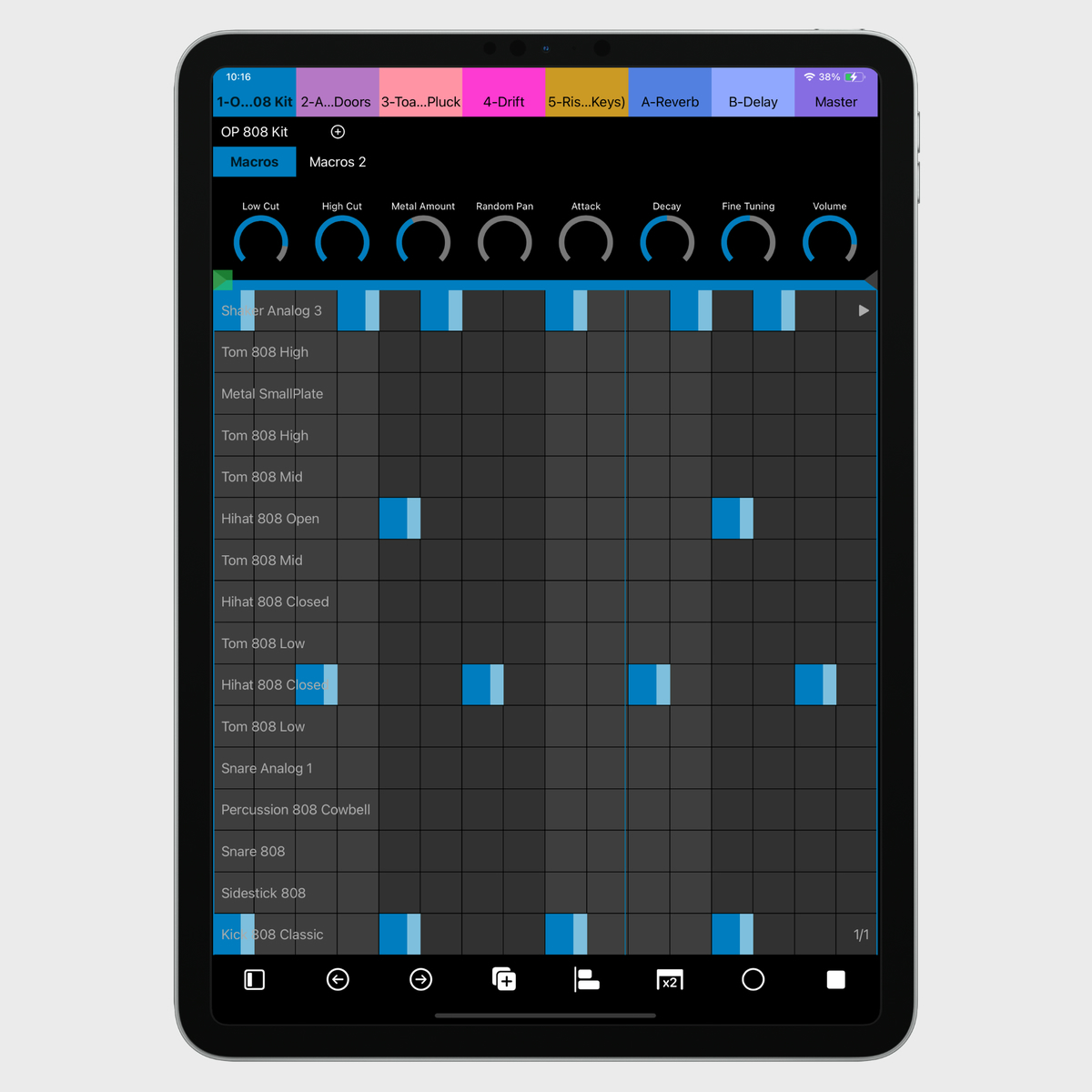
7III Tap melodic step sequencer with device parameters
7III Tap turns your iPhone or iPad into a hands-on Ableton Live controller. Browse samples, edit audio clips, launch scenes, mix tracks, sequence drums and melodies, record or draw automation, and control devices from a fast, responsive touchscreen built for performance, production, and sound design.
7III Tap at a Glance
Mobile devices
iPhone and iPad
Computer support
macOS and Windows
Connections
USB, Wi-Fi and Bluetooth MIDI on macOS; wired MIDI, rtpMIDI and experimental Bluetooth MIDI on Windows
Main controls
Devices, MIDI and audio clips, mixer, step sequencers, automation, MPE and MIDI CC
Setup
Included Ableton Live MIDI Remote Script; no server or Max for Live device
Price
Free 15-minute daily trial; one-time Premium unlock; no subscription
Why an Ableton Live Controller App?
Why turn two knobs when you have ten fingers and could tweak up to 8 macros at a time and still have two fingers left for mixing? Hardware controllers have their charm, but at project7III we focus on the future. A touchscreen is simply the most flexible and precise tool for adjusting parameters, launching clips, sequencing, editing automation, and mixing.
That's why we created Tap: a pocket-sized Ableton Live controller built for real performance, deep control, and fast creative work. If you have a few bucks to spare and an iOS device, you're ready to upgrade your workflow.
Here are some of the reasons why you should consider Tap:
Works on both iPhone and iPad
Flexible connections via USB, Wi-Fi, or Bluetooth MIDI on macOS, plus wired MIDI, rtpMIDI, and experimental Bluetooth MIDI on Windows
Designed for live performance, production, sound design, and spontaneous jams
Three powerful views: Device, Clips, Mixer
Audio clip editing and sample browsing: find and load sounds, zoom into waveforms, move Warp markers, shape loops, and adjust gain and pitch
Powerful Automation Editing: record or draw curves, adjust individual points, fine-tune transitions, and use ready-made envelopes
Expressive MPE Pads and Keys with per-note Pitch Bend and Pressure or Slide
Note Repeat for repeating notes and drum patterns
Follow Actions for evolving clips and performances
Companion, a melodic and rhythmic partner that plays along with you and turns your clips into musical variations
Rhythm Generator for quickly creating new grooves and ideas
Flin generative sequencer with 16 independent polymetric note streams written directly into Live clips
Native Simpler integration with sample loading, waveform visualization, slicing, and dedicated controls
Macro Variations and Randomization for instant sound exploration
Searchable Browser for quickly finding and adding devices, effects, presets, and samples
Universal MIDI CC mode for controlling any instrument or app
Adaptive layouts for portrait and landscape on iPad
Test Tap for free before you buy it. No subscription. One-time unlock
Device View
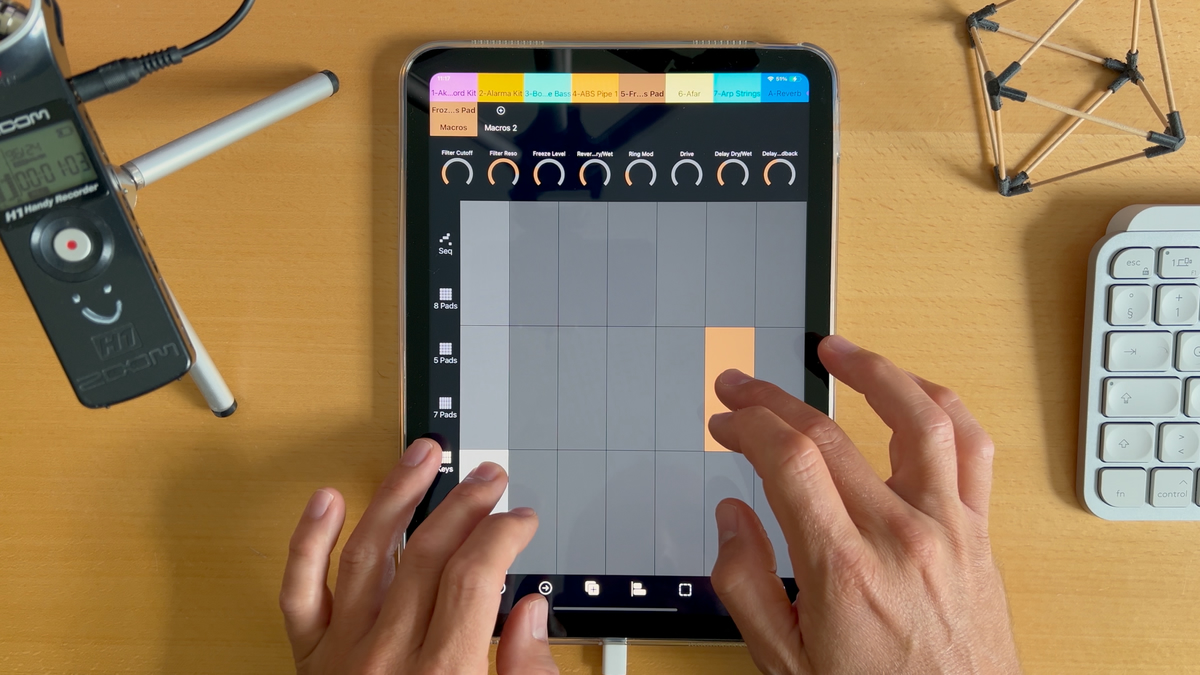
Different MIDI keyboards & pads
Drum and melodic step sequencer
Devices & banks
Curated encoder controls for Ableton Live instruments and effects
Track controls for mixing without leaving Device View
8 encoders per bank
MIDI modulation tools and powerful note editing
Audio clip editing with zoomable waveforms, Warp markers, loop controls, gain, pitch, cropping, and conversion tools
Sample browsing and search to find and load sounds for audio clips
MPE, Note Repeat, and 16-pitch or 64-pad layouts for expressive playing
Powerful Automation Editing, Macro Variations, and generative MIDI tools
Designed for quick sound design, live modulation, performance, and awesome sequencing.
Audio Clips and Samples
Browse and search for sounds in Live, load samples, and shape your audio clips from Tap. Zoom into the waveform, move Warp markers, set start and loop points, and adjust gain, transpose, and detune. Crop a clip or use Live’s conversion tools to move from audio to Simpler, a Drum Pad, or MIDI where supported by your Live edition.
Use Follow Actions for evolving clips and performances
Access devices and encoders without switching to another screen
Mixer View
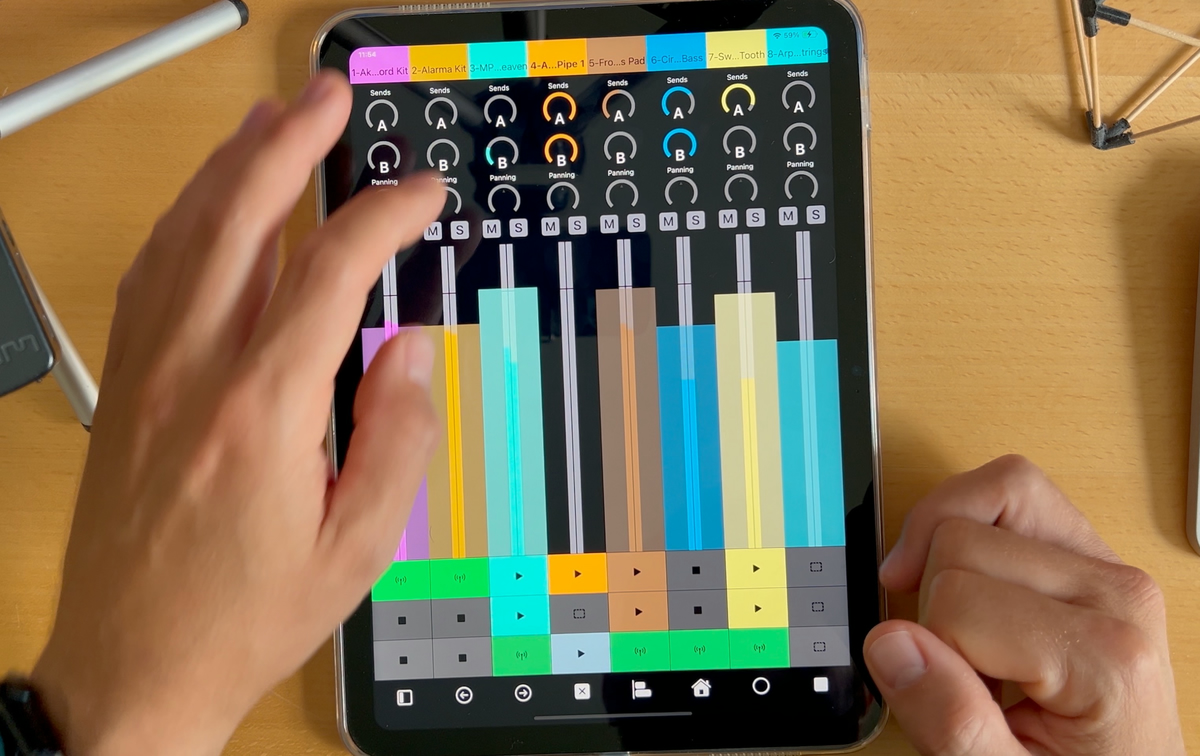
Volume, sends, pan, solo, and mute layout
10 Finger mixing!
Integrated clips panel for mixing and launching clips at the same time
7III Tap Mixer View with clips panel
Custom Encoders
Control any MIDI-compatible device or software with fully customizable encoders.
Perfect for synths, drum machines, external apps, and master effects parameters.
Connectivity
Direct USB (macOS only)
Bluetooth MIDI
Wi-Fi
Wired USB MIDI interface setup
Includes a custom Ableton Live Remote Script for deep integration
No server or Max for Live device required. Simply download the MIDI Remote Script and put it in the correct folder. More information here.
App Store
Download Tap on the App Store and test it for free for 15 minutes per day!
Let's jam!
Reviews
🏆 4.7/5 on the App Store (April 2026)
★★★★★
Ableton Live Control der genialen Art
11. Sept. 2024 · Test-the-East
Ich bin jetzt echt baff. TAP ist irgendwie total großartig durchdacht und nutzt die capture MIDI Funktion von Ableton Live gnadenlos gut aus… weiter bin ich noch nicht aber random drums, synths und effekte laden ist sowas von Jam Like! Fantastisch, was kommt denn da noch von Entwickler? Ich hoffe das ist nur der Anfang. 7.99€ Lächerlich, Kauft Leute, jeden Cent wert!
★★★★★
Not all app midi controllers are built the same!
24. Sept. 2024 · JumperCollins
Was pleasantly surprised how well this has been laid out and works. Gives loads of control. I actually stopped using my Push 2 for now as 7III TAP inspires more. This is what Touchable Pro should have been. For the price a no brainer. Go get!
★★★★★
Excelente controlador para Ableton
2. Dez. 2024 · Press0data
Un buen y económico recurso para producir y para usar en performances en vivo. Lo usé en Windows con el iPad y luego de la configuración inicial, funcionó sin problemas. Recomendado.
★★★★★
Beste Live Controller App
4. Feb. 2025 · Mr. Reen
Optisch 1A, auch die Integration der Rack Macros ist super.
★★★★★
Feels like a native app!
14. Apr. 2025 · Kareemyusa
Tap works so well with Ableton it feels like it was made as an official app. The design language matches Ableton so it's easy to get started quickly compared to other apps. I had a question and the owner replied to me in less than a day, which I think is amazing. I will update if I find any issues but this is a 5 star app for me!
★★★★★
Lifechanging
12. Apr. 2025 · Spanish97
This app literally changed my life in Live. It's super stable and fluid. Super useful for live session, mixing and creative process. It works very well for controlling your midi instrument and writing automations. That's all you need to give much more live feeling to your tracks. 100% worth it 👌
★★★★★
Excellent controller for ableton
23. Nov. 2025 · Nizola Gonda
Love this. Really nice way to control Ableton via my iPhone. Would love to see device shortcuts to quickly access fav instruments and also some preset morph would be cool.
★★★★★
This is fantastic app
7. Jan. 2026 · kahunaoplomo
This is what Ableton Note should be. App gives you a lot of control over DAW and makes it lightning fast to sketch ideas and work on them. Long Live The TAP!
Roadmap
Things we have planned for Tap:
More special dials, even deeper Ableton Live instruments and effect integration (already started with algoritms for Operator)
More creative sequencers
Playing MIDI notes in Ableton Live with Tap
If you'd like to stay updated on Tap's development and contribute to new feature implementations, subscribe to our 7III Tap newsletter.
FAQ
Does Tap work with Ableton Live on Mac and Windows?
Yes. macOS supports direct USB, Wi-Fi, and Bluetooth MIDI. Windows supports wired MIDI interfaces, an experimental direct USB MIDI host bridge, Wi-Fi through rtpMIDI, and experimental Bluetooth MIDI through Windows MIDI Services. See the connection guide in the manual.
Can Tap replace a hardware controller like Push?
For many workflows and most musicians, yes.
Tap includes clip launching, device editing, mixing and a powerful step sequencer in a mobile form factor.
Does Tap also work on iPhone?
Yes. Tap is one of the few fully featured iPhone Ableton Live controllers. Basically a Push the size of an iPhone.
Does Tap work on Android?
Not yet, sorry.
Do I need additional software?
You only need to install the Tap MIDI Remote Script once. After that, Tap connects automatically.
Does Tap support MPE or Aftertouch?
Yes. Pads and Keys support MPE with per-note Pitch Bend and Pressure or Slide. Standard velocity, modulation and pitch bend are supported too.
Will Tap make my music sound better?
Unfortunately not. But you will be able to make more crappy music in less time, and gain the power to entertain (or terrify) crowds for hours, using only your laptop and your iPad.
How does Tap compare to other Ableton Live Controllers?
noun
The freshest Ableton Live controller on planet earth, made by project7III (project seven three).
Is this a dream or reality?
No idea. But Tap is 100% the Ableton Live controller you've been dreaming about.
Test it now: Download 7III Tap
Tap in the Media
Tap has already been featured by the music tech press:
Listed by Ableton as an iOS controller for Live
Ableton includes 7III Tap in its official guide to controlling Live from an iOS device, highlighting its dedicated device, step sequencer, MIDI pad, mixer and clip views.
Tap turns your iPhone into an Ableton Live controller — Create Digital Music
Tap turns your iPhone into an Ableton Live controller, taking some of the best ideas from Push and Ableton Note and adapting them to a mobile touchscreen.
Tap legal stuff: terms & conditions & privacy policy Ableton Live is a trademark of Ableton AG, registered in the United States and other countries.
iPhone and iPad are trademarks of Apple Inc., registered in the United States and other countries.